The right people for the event
Assign team members to individual events. Keep the staffing plan attached to the work they will deliver.
CaterPro · Operate & control
Every event needs the right people in the right roles.
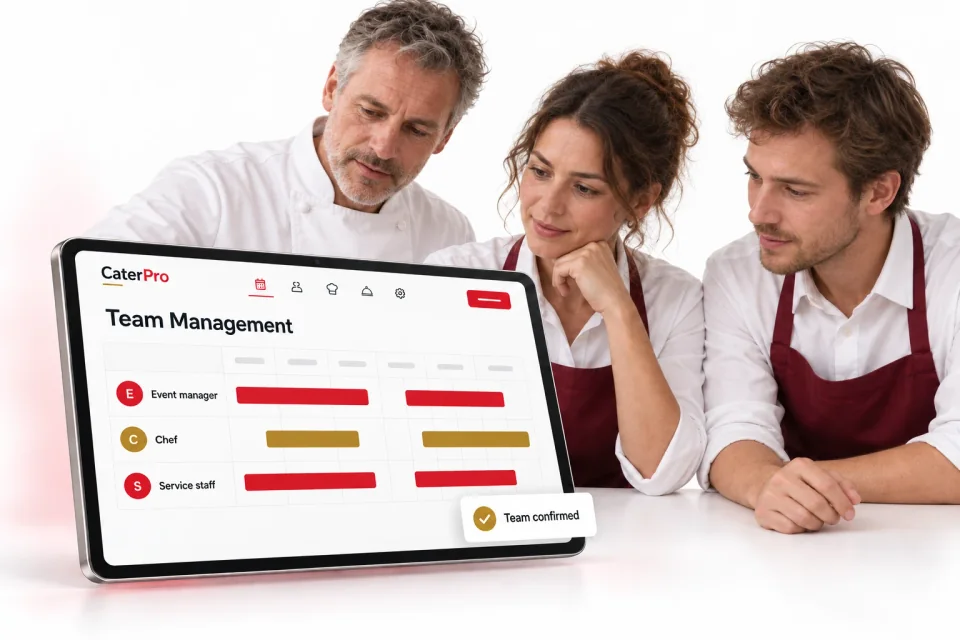
Assign team members to each event by role, date and working hours while keeping staffing responsibilities clearly organized.
See it in practice
The menu is agreed and the date is confirmed. Now assign the people who will prepare, transport and serve the event, with a clear role for each person.
Assign the event manager, kitchen team, service staff and logistics roles to the event so the staffing plan is easy to review.
Record the date and shift hours for every assignment. Keep the people and the time required for service in one event view.
Wedding reception · 24 October
Event coordination
Kitchen preparation
Guest service
Made for your everyday work
Assign team members to individual events. Keep the staffing plan attached to the work they will deliver.
Assign roles such as event manager, chef, service staff and logistics. Record shifts and track assignment statuses so responsibilities are clear before the event.
Keep the event’s team members, working hours and agreed rates visible together. Review the total staffing picture as you prepare the service.
Choose the team members needed to deliver the event.
Assign each person a role and review assignment statuses.
Set their dates and working hours, ready for service and staffing cost review.
A staffing plan with clear responsibilities and hours.
Let’s look at your catering workflow
Walk through the tools with our team and talk about the way you work.