One unique event reference
Every inquiry and event receives a unique ID. Use that reference to keep the event’s information connected throughout its history.
CaterPro · Operate & control
One event. Its whole story, connected.
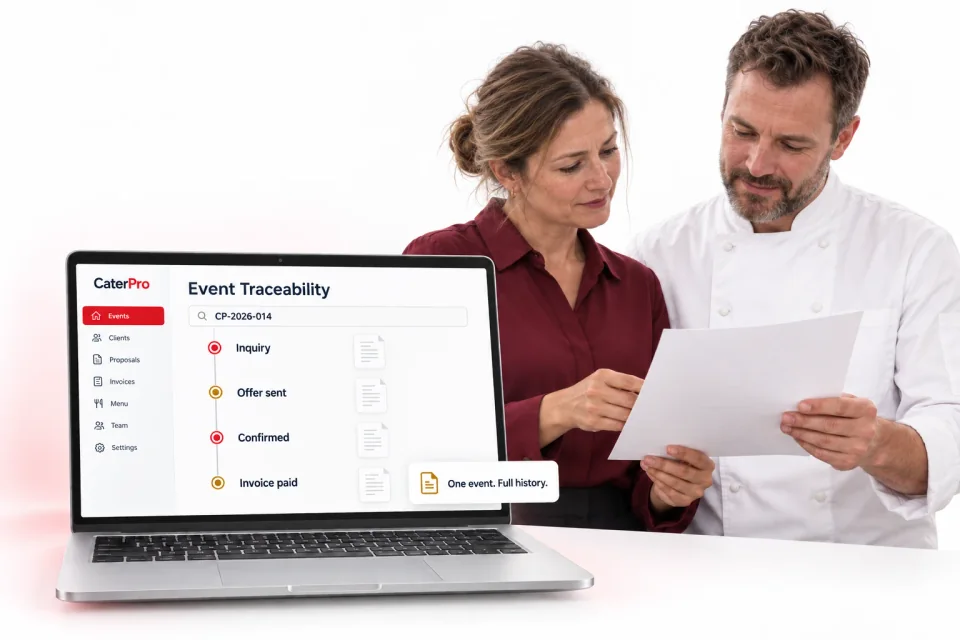
Every inquiry and event receives its own unique ID connecting documents, emails, client communication and event records in one searchable history.
See it in practice
A client asks about a change to an earlier offer. With one event reference, you can find the communication, documents and records that explain the decision.
A unique ID connects the inquiry to the event’s emails, PDF offers, communication and records as the work progresses.
Search the event reference to follow its story, from the original request through the agreed offer and final invoice.
Client’s event request
Menu and guest-count changes
Agreed event details
Payment information
Made for your everyday work
Every inquiry and event receives a unique ID. Use that reference to keep the event’s information connected throughout its history.
Connect inquiry emails, PDF offers, client communication, event records and payment information using the same event ID. Keep each document in context.
Search one event ID to find the full story—from the initial request and updated offer to the final invoice. Follow the timeline without piecing it together from separate records.
Start with the unique ID assigned to the inquiry and event.
Keep the documents, messages and records connected to that reference.
Search the ID when you need to review the event history or answer a client question.
A searchable history with the context kept together.
Let’s look at your catering workflow
Walk through the tools with our team and talk about the way you work.